Opening hours and closed days: nobody books when you are not there
A badly set holiday is a customer at a locked door. How to keep the hours of every store up to date, and what to check before each season.
AloManagerPublished Oct 12, 2026 · 1 min read
Online bookings work around the clock, but your store does not. If the system does not know you close on a public holiday, someone will book a pickup that day.
Base hours and exceptions
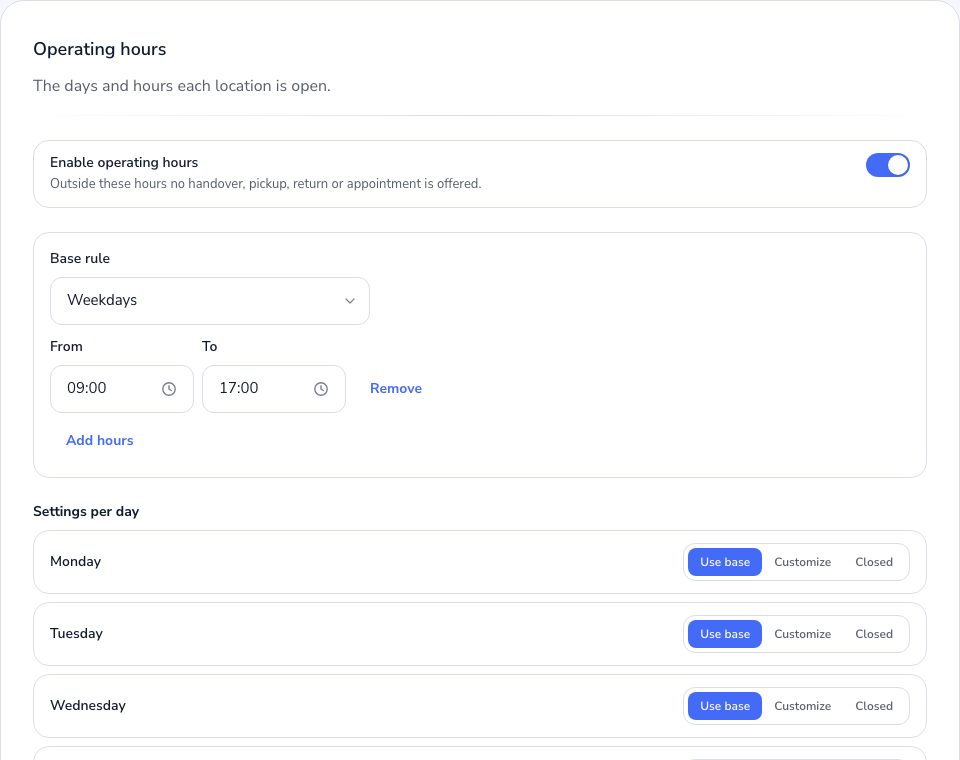
Set base hours per store (for example, Monday to Saturday, 9:00 to 19:00) and then only the exceptions: public holidays, summer hours, stocktaking closures.
A check before each season
- Enter the national and local holidays for the coming months.
- Adjust summer or winter hours if they change.
- Check the pickup and return times of orders: they should fall within the store's hours.
- Make a test booking on the website for a closed day and confirm it is not offered.
Ten minutes at the start of the season save many awkward phone calls later.