Sales: sell products from your stock
How to make a direct sale with products from your stock, see it in its order and follow your stock.
Updated Oct 22, 2026 · 2 min read
With the Sales module you sell what you have in stock, at the counter or from your online store, and your stock moves on its own.
Make a sale
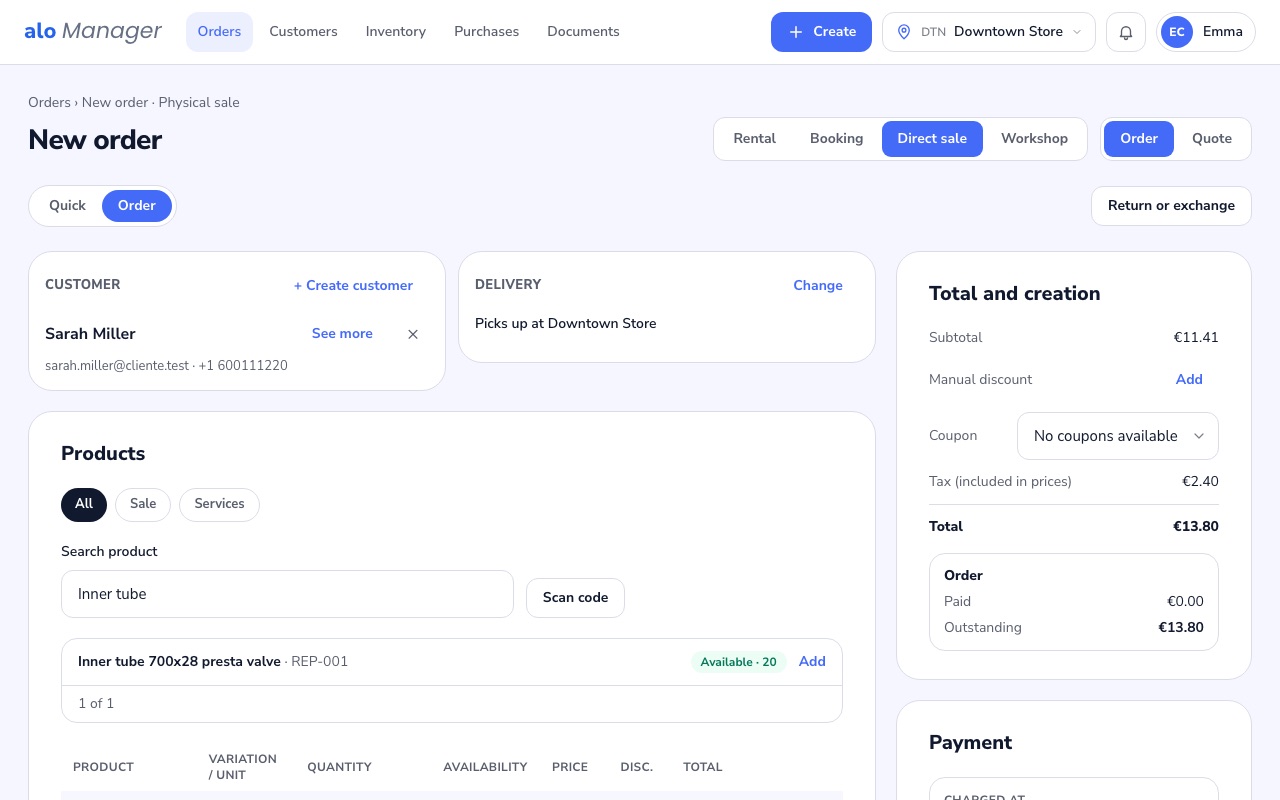
- 1Create › Order › Direct saleLook up the customer by name, email or phone.
- 2The productsAdd them with their quantity: the panel shows how many are still available in this store.
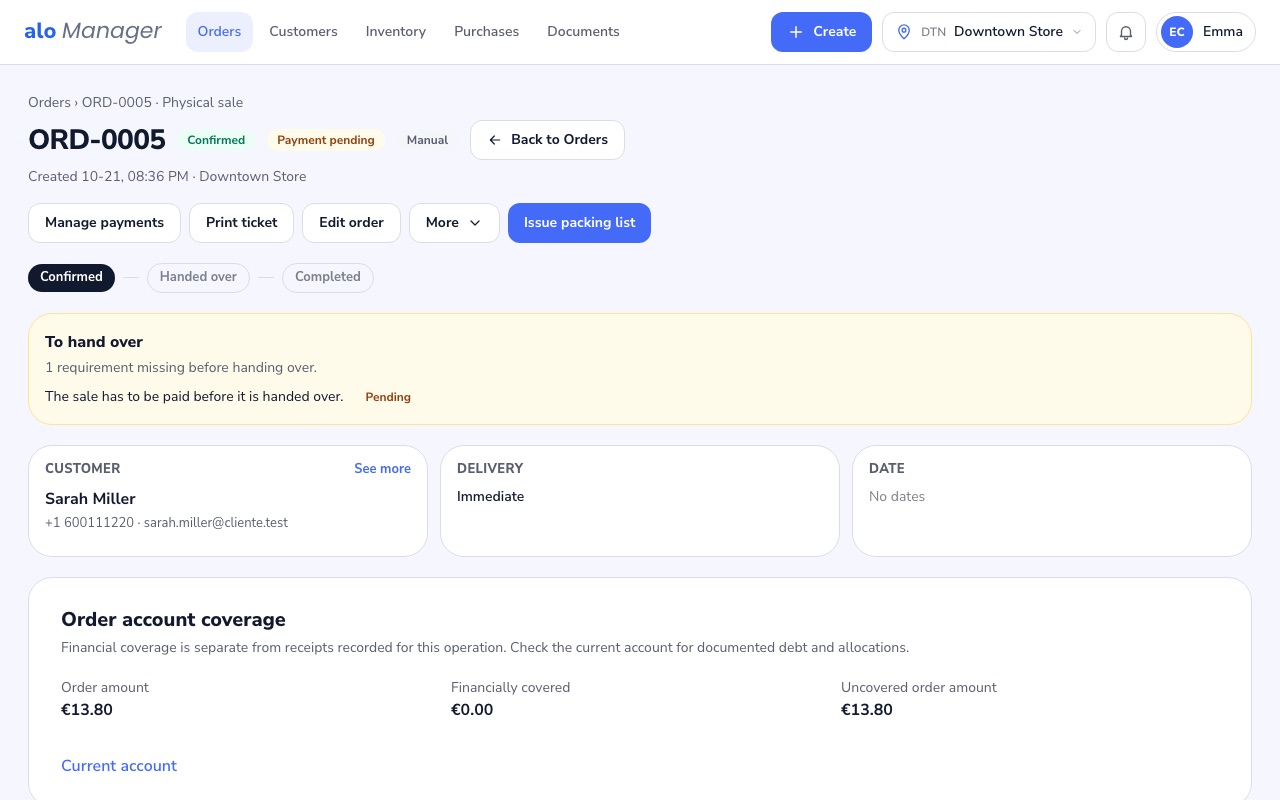
- 3Create orderWith the customer and the products, the total appears and you create the order.
Your stock
In Inventory › Stock you see what there is of each product in each store, what is reserved and what is on the way from your suppliers.
Was this article helpful?