Workshop: from the board to the hand-back
How to follow your workshop orders on the board, take in an item, see appointments and adjust the workshop.
Updated Oct 22, 2026 · 2 min read
The Workshop module puts in order what your customers bring you to repair: each item with its history and each order with its status.
The board
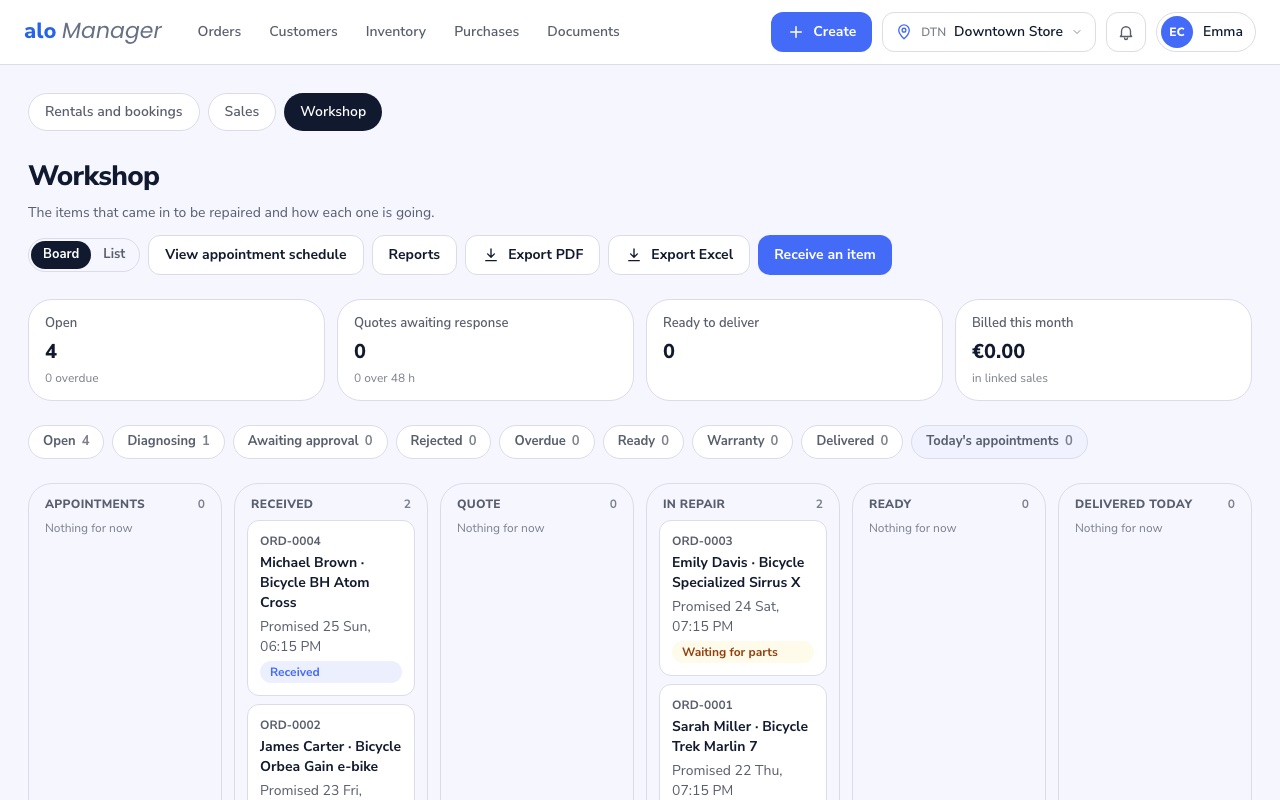
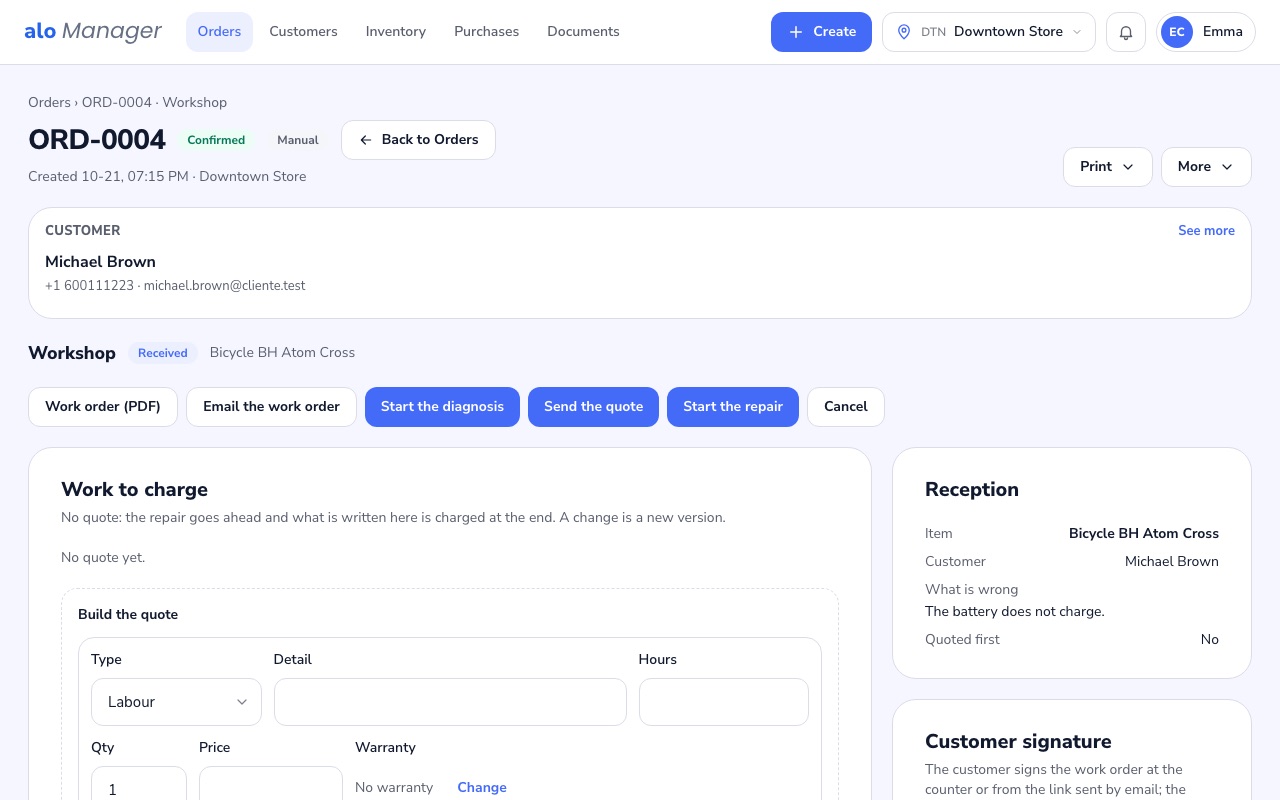
Each order sits in the column of its status, from intake to hand-back. Opening one shows the customer's item, what they reported when they left it, the promised date and its history.
Take in an item
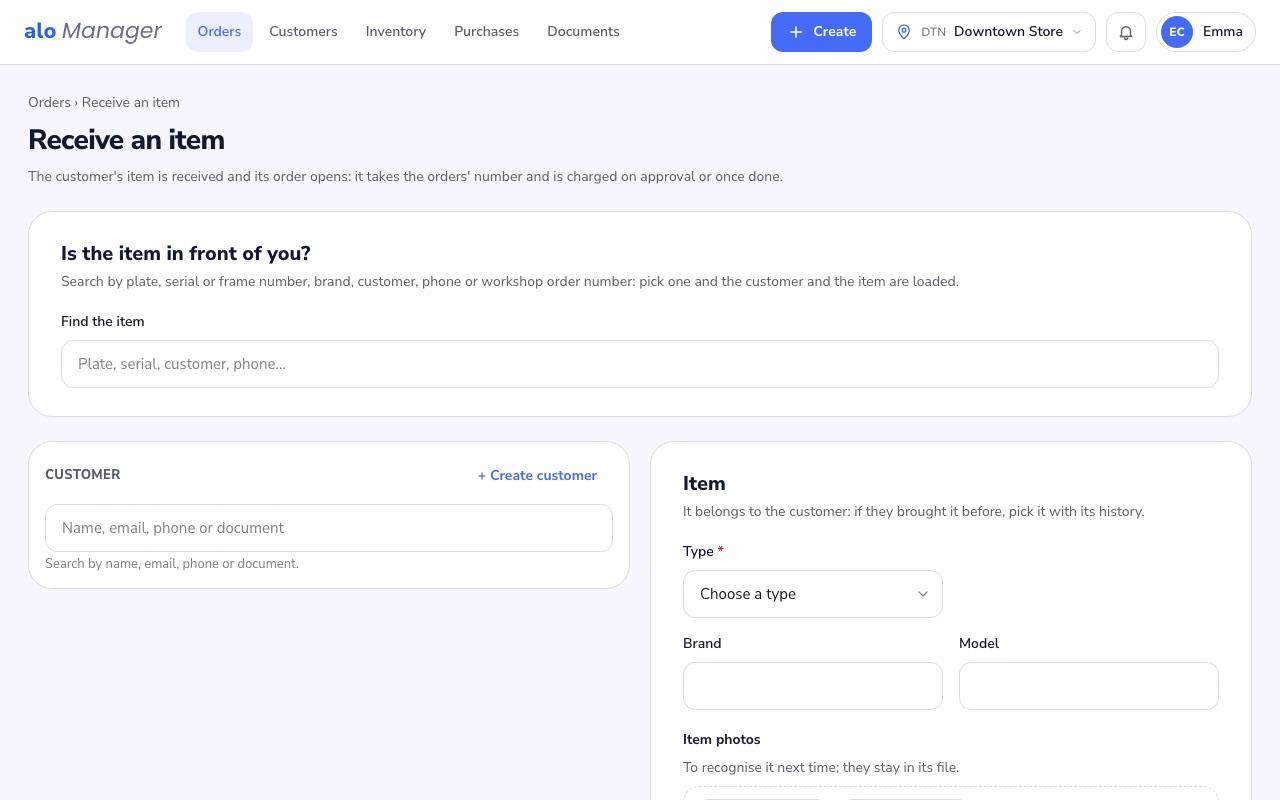
In Receive an item you choose the customer and their item, or register it with its fields, and the work order is issued.
Was this article helpful?