Selling on account: the customer's credit and the period invoice
How to open a customer's current account, sell to them on account and invoice their sales one by one or all together when the period closes.
Updated Oct 22, 2026 · 2 min read
With a current account a customer takes what they buy and pays later. AloManager keeps track of how much they can owe and when each invoice is due and, if you choose so, gathers all their sales of the period in a single invoice.
1. Open the customer's account
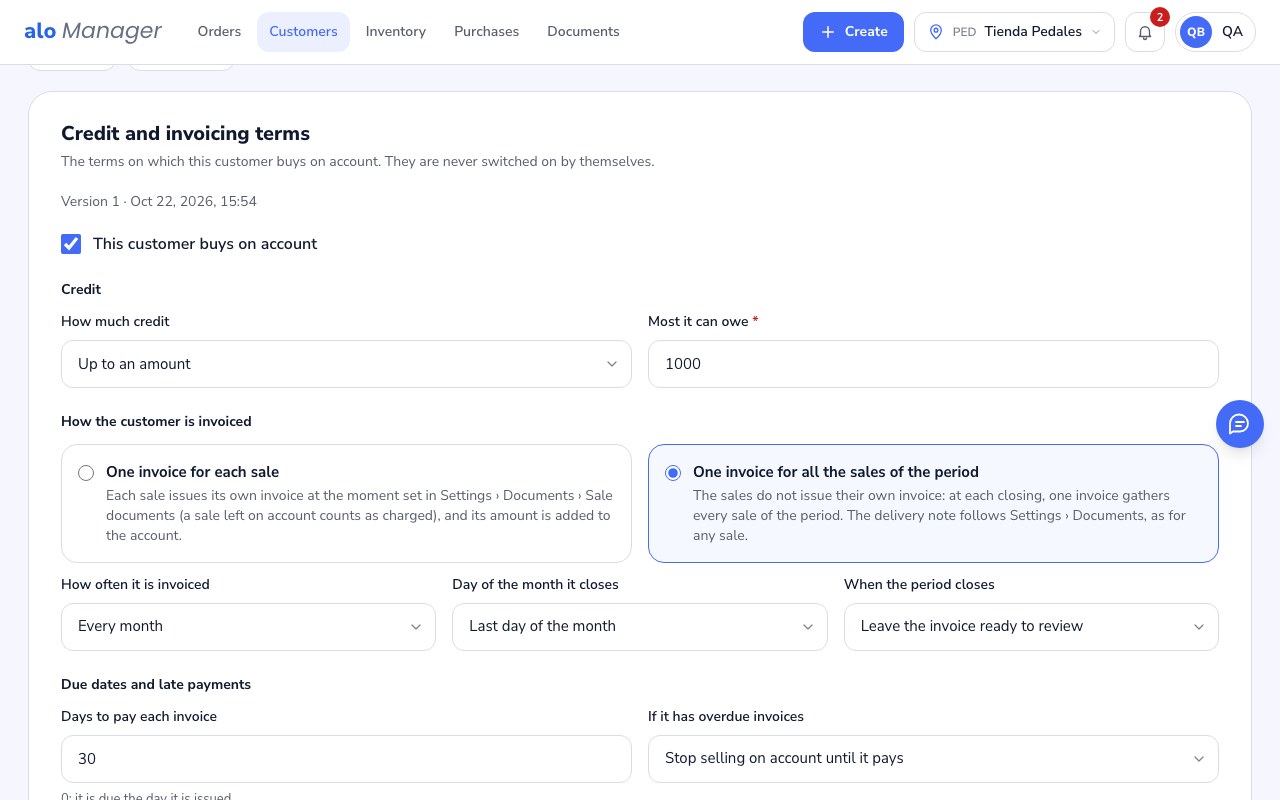
- 1Customers › the customer › Current accountTick This customer buys on account. Nothing switches on by itself: every time you save, the terms are kept as a new version.
- 2CreditChoose Up to an amount and type the most they can owe, or No limit.
- 3How the customer is invoicedOne invoice for each sale: each sale issues its invoice as Settings › Documents says. One invoice for all the sales of the period: sales do not issue their own invoice and at each closing a single invoice gathers them; you choose how often (every day, every week, twice a month, every month or when someone closes it), which day it closes and whether, at the closing, the invoice is left ready to review or issued by itself.
- 4Due dates and late paymentsThe days they have to pay each invoice and whether, with overdue invoices, you keep selling to them on account.
2. Sell to them on account
- 1Create › OrderChoose the customer and add what they take.
- 2PaymentYou see their available credit, how they are invoiced and when the next closing is. In Method choose On account and hand the sale over.
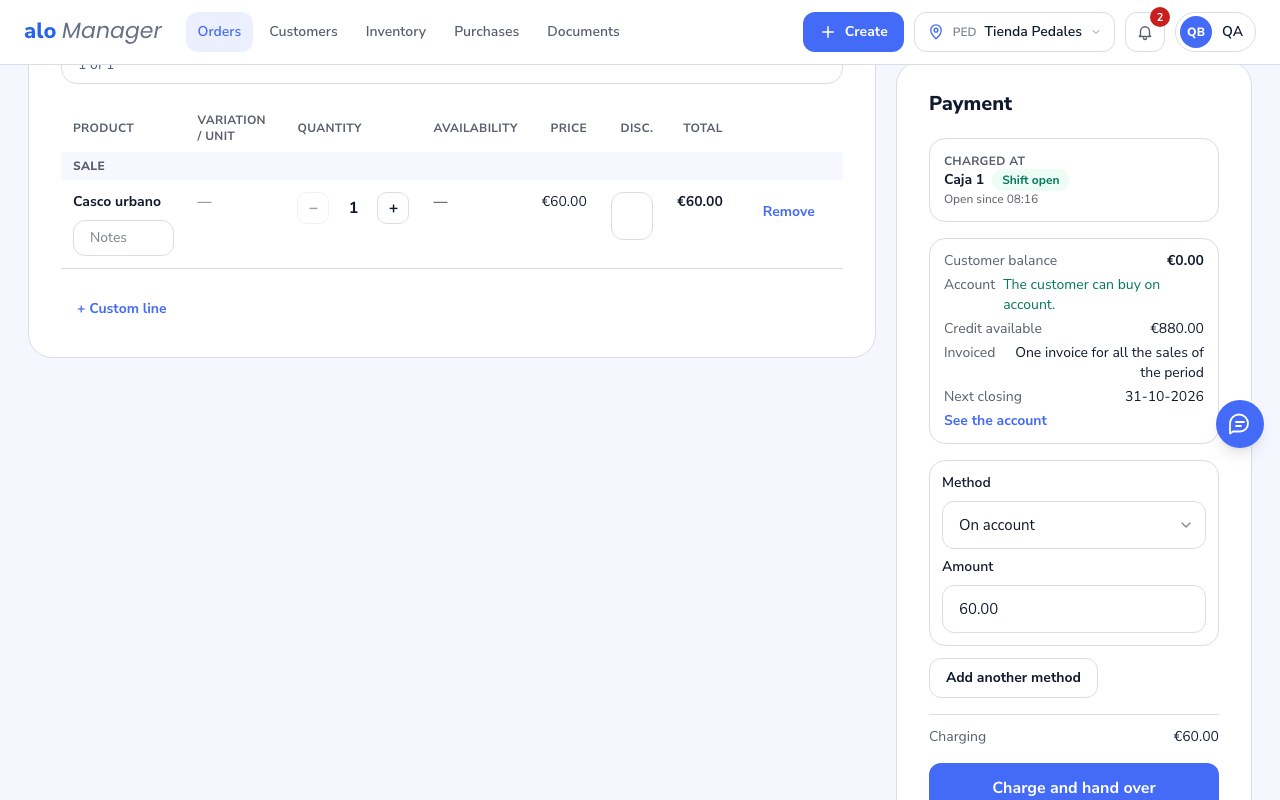
If the sale goes over their credit, or they have overdue invoices and you chose to stop selling until they pay, the panel does not let you leave it on account and tells you why.
3. Follow the sale in its order
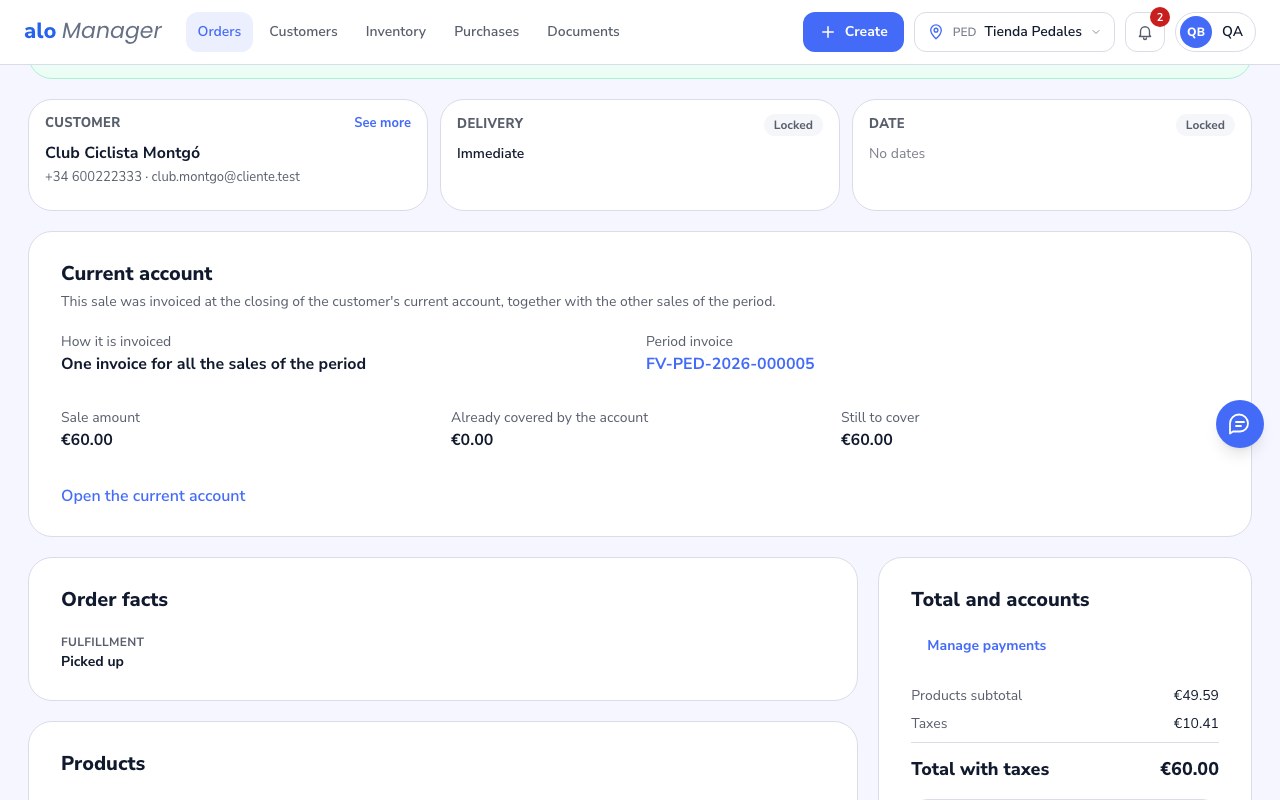
The order's Current account card says how that sale is invoiced, when the next closing is and how much the account already covered. Once a closing invoices it, it shows the period invoice.
4. Close the period
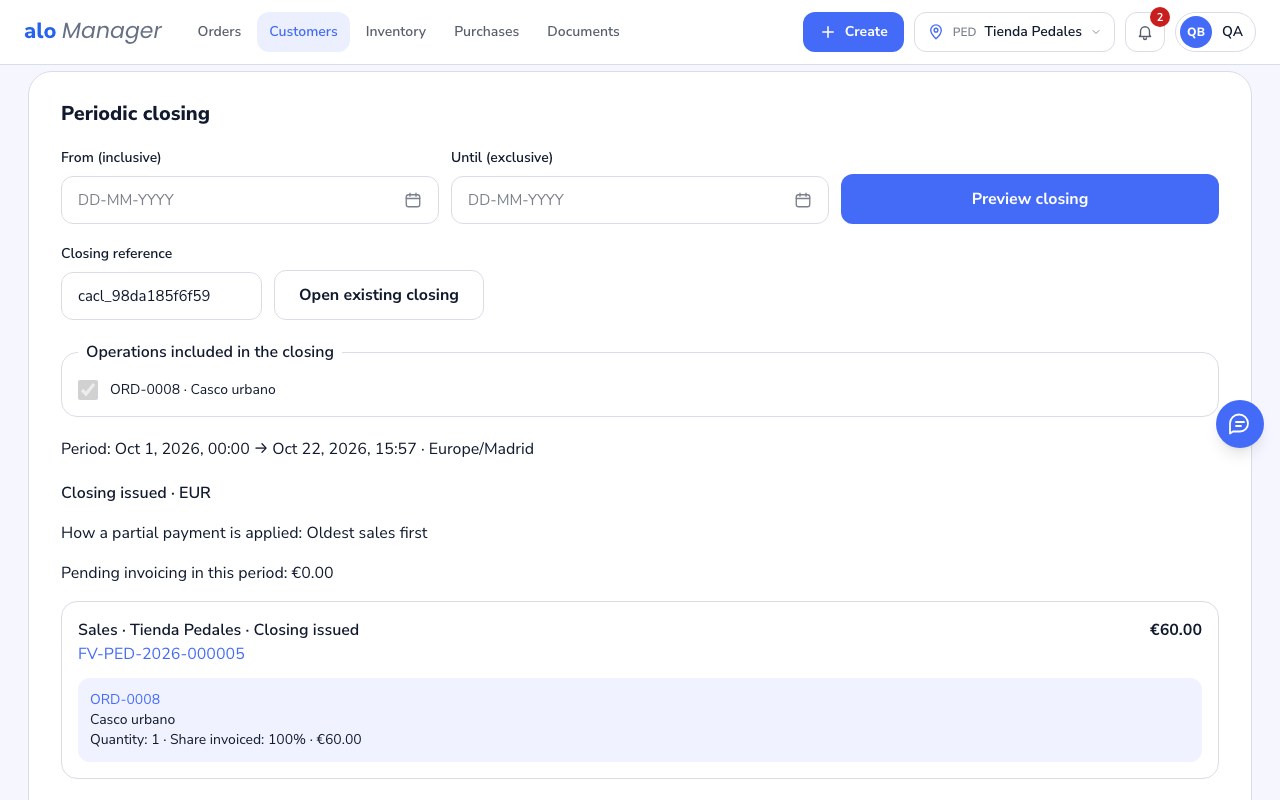
If the customer is invoiced by period, on the closing date AloManager prepares the invoice with all their sales: it leaves it ready for you to review or issues it by itself, as you chose. You can also close it by hand in Current account › Periodic closing: choose from and until, review the sales included and press Issue invoices.
Was this article helpful?